QR Codes: Scan. Connect. Engage.

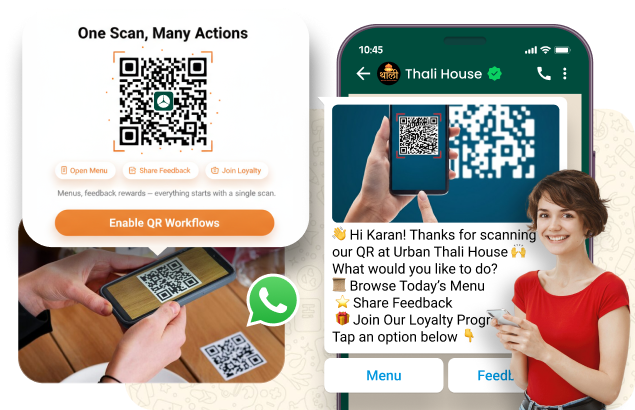
Simplify your restaurant operations and enhance customer experience with AiCubix QR Codes. Whether it’s for viewing menus, sharing feedback, or joining loyalty programmes, one scan does it all.

Turn Feedback Into Your Growth Engine

Because every opinion builds trust.

One Scan, Endless Possibilities

  • Create unique QR codes for menus, offers, feedback, and loyalty sign-ups.
  • Customers can access everything instantly; no downloads or apps are needed.
  • Perfect for dine-in, takeaway, or delivery experiences.

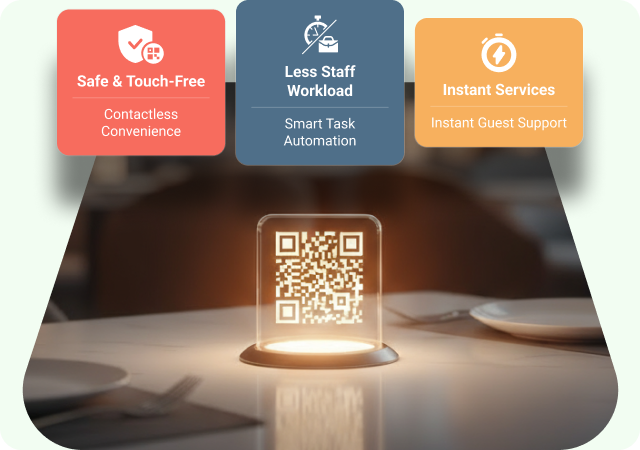
Contactless, Convenient, and Quick

  • Offers a safe and touch-free dining experience.
  • Reduces staff workload by automating basic tasks.
  • Provides instant access to services like ordering or feedback submission.

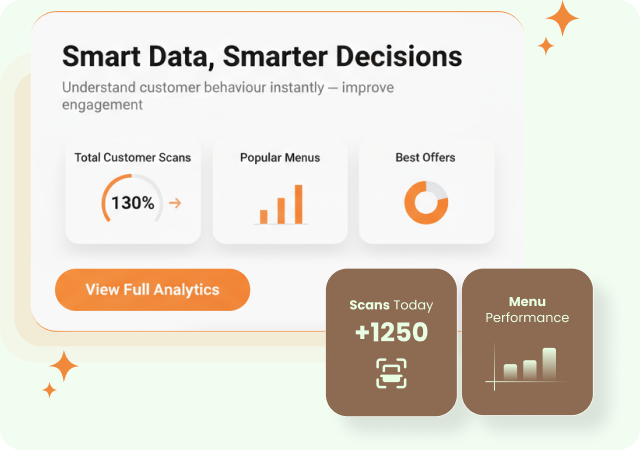
Real-Time Insights That Matter

  • Track how many total customers scan your codes.
  • Identify popular menus, offers, and campaigns.
  • Use data insights to improve engagement and marketing strategies.

Understand What Guests Really Feel

Real insights, real-time responses.

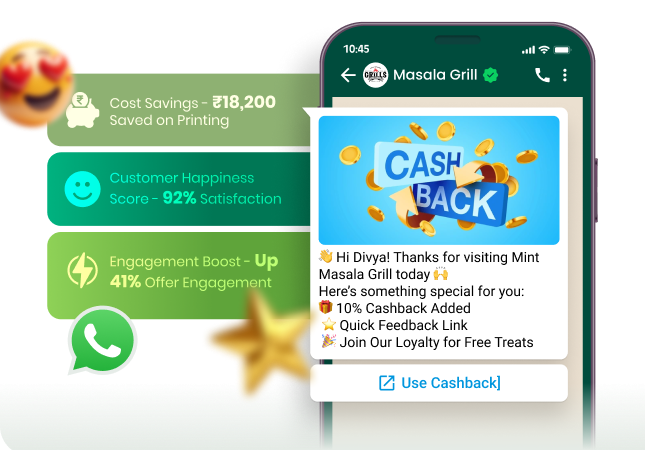
Turn Scans Into Conversations

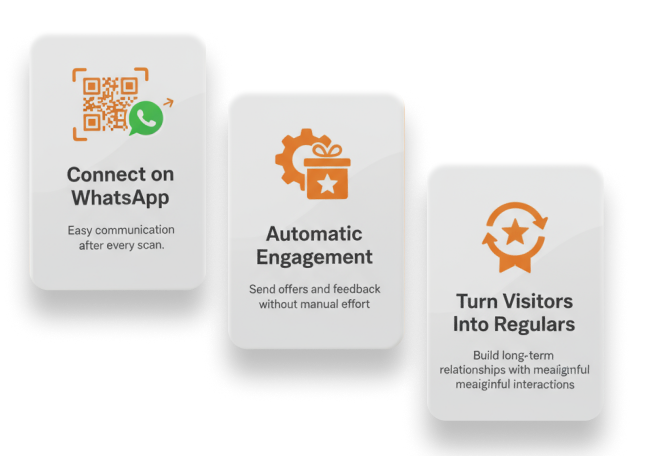
AiCubix Loyalty has taken the manual work out of your hands so you can concentrate on what is important: great service.
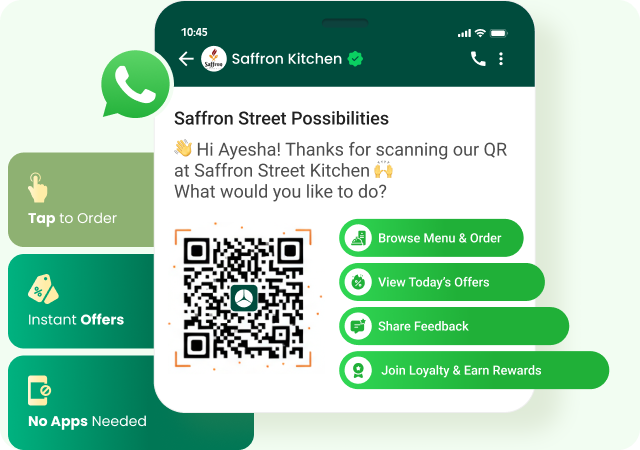
  • Connect QR codes directly to WhatsApp for easy communication.
  • Automatically engage customers with offers, feedback, or loyalty invites.
  • Convert one-time visitors into regulars through meaningful interactions.

Why Restaurants Love It

  • Reduces printing costs and simplifies operations.
  • Improves customer convenience and satisfaction.
  • Boosts engagement through data-driven insights.
  • Creates direct, lasting customer connections via WhatsApp and loyalty programs.

Activate Smart QR Code Campaigns

Scan. Capture. Convert. Grow.

Design Your QR Code Objectives

Generate & Customize Your QR Code

Deploy & Promote the Code

Capture Data & Trigger Follow-Ups

Analyse, Optimise & Scale

icons
Design Your QR Code Objectives
  • Decide what each QR code should achieve: e.g., join loyalty, claim an offer, view menu, provide feedback.
  • Choose placement: in-store signage, packaging, delivery bags, business cards, event booths.
  • Align the call-to-action with the next step in the customer journey: “Scan to get 10% off”, “Scan to join our club”, “Scan for exclusive menu”.
icons
Generate & Customize Your QR Code
  • Create unique QR codes for different campaigns or locations (e.g., table tent, take-away bag, partner store).
  • Brand your code: add your logo, choose colours, select size and printable format.
  • Set the landing action: page link, loyalty signup form, pre-filled WhatsApp chat, offer claim form.
icons
Deploy & Promote the Code
  • Print or display the QR code at all chosen touch-points: counters, receipts, catalogs, partner locations.
  • Add short instructions or incentive text next to the code (“Scan for reward”, “Tap to join”).
  • Combine with other channels: include QR in emails, social posts, flyers to increase scan rate.
icons
Capture Data & Trigger Follow-Ups
  • When the QR is scanned, capture first-party customer data: name, phone, email, referral source.
  • Automatically trigger the next step: enrol into loyalty program, send welcome message, deliver a coupon or start an automated campaign.
  • Tag the scan context for analytics: which code was scanned, where, when, and by whom.
icons
Analyse, Optimise & Scale
  • Monitor scan count, conversion rate (scans → signup/offer claim), and subsequent redemption/engagement.
  • Identify high-performing placements, offers or segments and adjust: move codes to better spots, update offer, refine messaging.
  • Scale by creating more QR codes for new locations, new offers or partner collaborations and integrate into your wider loyalty & marketing system.

Frequently Asked Questions

Everything you need to know before getting started.

You can use them for digital menus, special offers, loyalty sign-ups, feedback forms, or even to start a WhatsApp chat with your customers, all with a single scan!

Customers simply scan the QR code using their phone camera; no app or login is needed. They’re instantly redirected to your menu, offer, or form.

Absolutely! AiCubix provides real-time analytics showing how many people scanned, what they viewed, and when, helping you make smarter marketing decisions.

Yes! You can generate unique QR codes for each branch, menu, or promotional campaign, making it easy to manage and track separately.

Not at all. AiCubix makes it super simple; just create, customise, and download your QR code in a few clicks. You can print it on tables, packaging, or posters right away.